3.6
Free
Free Word to PDF Converter
Trial version of a basic converter
PDF To Word Converter Free free download. Always available from the Softonic serversPDF To Word Converter Free free download. Always available from trusted servers.
View an ad to download for free
From Softonic servers
Free
Windows
Other platforms (1)Windows XP
English
4.2M
18.34 MB

Efficient Load Planning with Trial Access

Simple wireless network monitor
A Free (GPL) Science & education program for Windows

Free alternative to Microsoft Office
A free and useful PDF converter for Windows
A full version program for Windows, by CoolLeGet Inc.
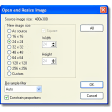
This image editor is optimized for editing small pictures

Speed Up And Smooth Out Your Gaming Connection.
The PDF To Word Converter software is a Windows program, which has been designed to allow users to convert PDF files into documents that are compatible with the Microsoft Word application. No additional software is required and the application is easy to use, without requiring any specialist knowledge whatsoever.
PDF To Word Free is what is known as a 'freemium' package, meaning that the core application is free to use, with no restrictions on how long it can be used for. However, a premium version, known as PDF To Word Converter Pro, is also available and adds a number of peripheral features.
The program is completely safe. Although the application and its installer both contain ads, the software has been thoroughly tested and verified to be free from adware, spyware or viruses of any kind.
In order to install the PDF To Word Converter application, download the executable setup file to a familiar location on your computer and launch the setup. Then, simply follow the instructions provided on the screen, selecting a suitable directory for the application to be installed to.
Although PDF files are widely used, they do still require specialist PDF reading software or web browser plug-ins to view. Moreover, certain documents, when sent via email, may be requested in the .DOC format associated with Microsoft Word. Converting a PDF file to the Word format will also make the document easier to edit.
The software provides support for most features that are likely to be encountered in either PDF or Word documents, including different fonts, different text sizes, numbered lists, bullet points, tables and tabbed columns. It also supports paragraph alignment, meaning the vast majority of PDF files can be converted with the exact same layout.
Users are able to convert PDF files containing images and these images will then be included in the resulting Word document. However, users also have the option of removing any images from their PDF file before converting.
Since its initial launch, PDF To Word Free has had two major versions, as well as a number of smaller updates for each version. Although updates are not released regularly, they are provided when fixes are needed, or to improve the overall user-friendliness of the application.
Unfortunately, PDF To Word Free is only able to convert one PDF file at a time. This means that users who have multiple PDF files in need of conversion will need to convert them individually, one after the other.
The 'Pro' version of PDF To Word Converter improves the user interface and adds a number of advanced features. Perhaps the most notable of these is a 'Preview' option, which allow the user to see a sample of what the Word document will look like before they complete the conversion process.
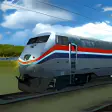
Control the Rails in Passenger Train Simulator

Instant Photo Booth With Camera and Printer

Free and Open Source Alternative to Macsyma or Maple
Realistic Transportation Game for Simulation Fans
Basic but elegant free calculator for Windows 8
A lightweight calculator with scientific functions
Simple label creation made efficient
Create your own PDFs from any format
Multi-format PDF converter tool
PDF Converter for Office helps you convert PDF files to Microsoft Word, Excel, PowerPoint and Publisher files.
A full version program for Windows, by CoolLeGet Inc.
The ideal way to convert JPG to PDF